

OpenAI Compatible API: What It Is, Who Supports It and How to Switch Safely
 Anna
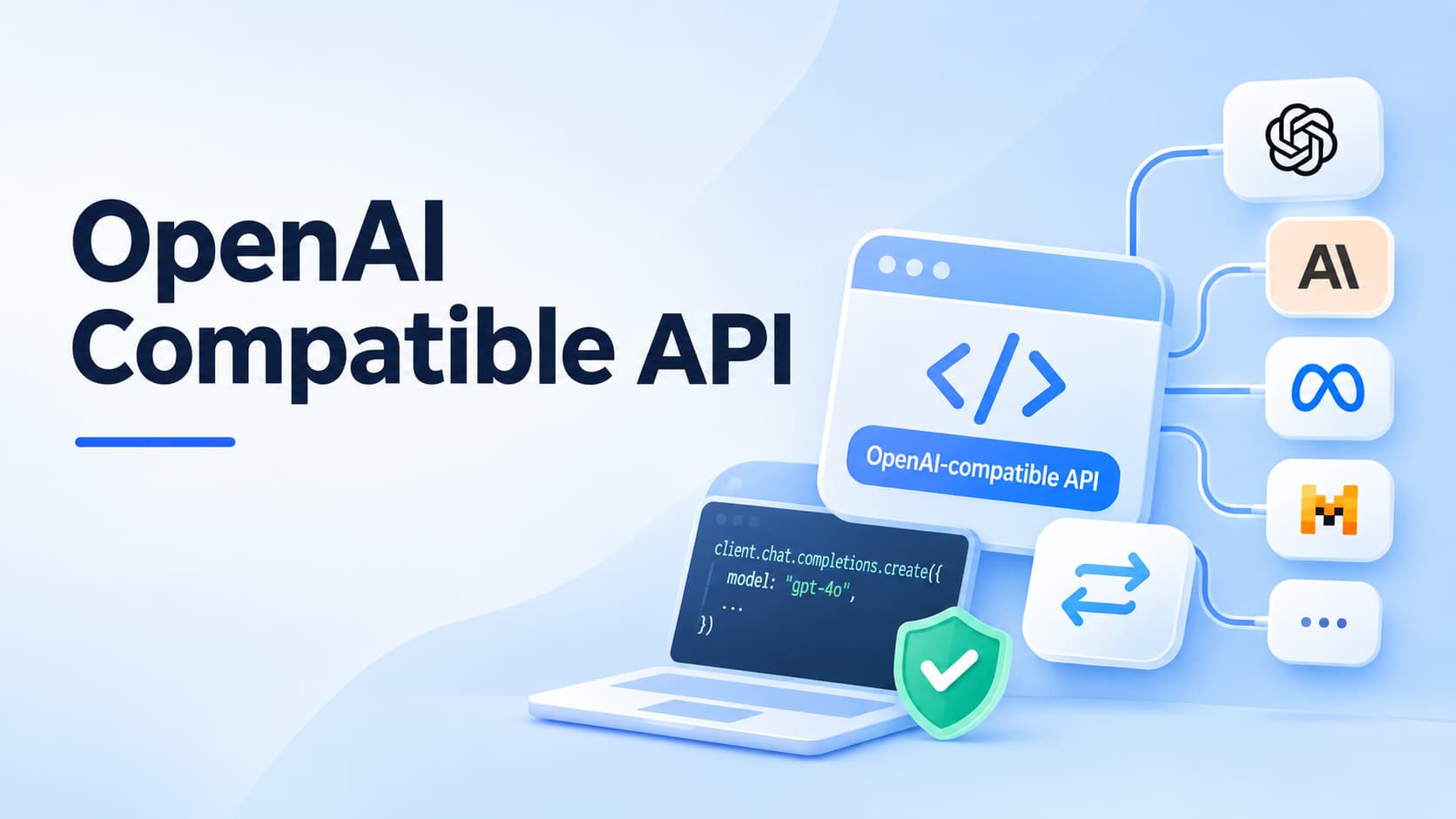
Table of contents:
Quick answer: An OpenAI compatible API accepts the same requests and returns the same responses as OpenAI's API.
So the official OpenAI SDK, and tools built on it, can call other models by changing three values: the base URL, the API key and the model name. Anthropic, Google Gemini, Mistral, Groq, DeepSeek, OpenRouter, Ollama, vLLM and many others offer one.
-
What stays the same: the request shape, the SDK, most of your code.
-
What can break: strict JSON schemas, tool calling, streaming details, ignored parameters, error messages and rate-limit headers.
-
Native SDK or compatible API? Use the compatible API to switch and compare quickly. Use the native SDK when you need provider-only features.
-
Before you switch: run a short smoke test and keep a one-line rollback.
Most AI apps start on OpenAI's API, so most code is written for the OpenAI SDK.
An OpenAI compatible API lets you keep that code and send the same requests to Claude, Gemini, open-source models or your own server.
It's the reason switching models can take minutes instead of a rewrite.
"Compatible" doesn't mean "identical," though, and the differences show up in production.
This guide explains how OpenAI compatible APIs work, which providers offer one, what breaks when you switch, and how to test a provider before you trust it.
If you'd rather reach several providers through one key and one bill, ScriptRun's OpenAI compatible API works with the OpenAI SDK you already use.
What is an OpenAI compatible API
An OpenAI compatible API is any API that copies the interface of OpenAI's API: the same endpoints, the same JSON request and response format, and the same Bearer-token authentication.
Because the shape matches, any client built for OpenAI can talk to it.
Of all the OpenAI compatible API endpoints, the one nearly every provider copies is Chat Completions, /v1/chat/completions, because that's what most SDKs and frameworks call.
Many also copy /v1/models and /v1/embeddings. Support for newer endpoints, such as Responses, files, batches or audio, varies far more.
OpenAI's format became the common standard because it came first and nearly every framework adopted it: LangChain, LlamaIndex, the Vercel AI SDK, n8n and many others.
Model providers copied it so developers could try their models without learning a new SDK.
Self-hosted servers such as vLLM, Hugging Face Text Generation Inference (TGI), Ollama and LM Studio copied it so local models could plug into the same tools.
How an OpenAI compatible API works
You point the OpenAI SDK at a different server by changing three values:
-
Base URL: the provider's endpoint, such as https://generativelanguage.googleapis.com/v1beta/openai/ for Gemini.
-
API key: the provider's key, not your OpenAI key.
-
Model name: a model ID from that provider, such as gemini-3.8-flash.
Everything else, including your messages, parameters and response handling, stays the same. Here's the same request in three languages, using Google's documented Gemini endpoint.
Python
from openai import OpenAI

client = OpenAI(
    api_key="GEMINI_API_KEY",
    base_url="https://generativelanguage.googleapis.com/v1beta/openai/",
)

response = client.chat.completions.create(
    model="gemini-3.8-flash",
    messages=[
        {
            "role": "user",
            "content": "Explain an OpenAI compatible API in one sentence."
        }
    ],
)

print(response.choices[0].message.content)
Node.js
import OpenAI from "openai";

const client = new OpenAI({
  apiKey: process.env.GEMINI_API_KEY,
  baseURL: "https://generativelanguage.googleapis.com/v1beta/openai/",
});

const response = await client.chat.completions.create({
  model: "gemini-3.8-flash",
  messages: [
    {
      role: "user",
      content: "Explain an OpenAI compatible API in one sentence."
    }
  ],
});

console.log(response.choices[0].message.content);
curl
curl "https://generativelanguage.googleapis.com/v1beta/openai/chat/completions" \
  -H "Content-Type: application/json" \
  -H "Authorization: Bearer $GEMINI_API_KEY" \
  -d '{
    "model": "gemini-3.8-flash",
    "messages": [
      {
        "role": "user",
        "content": "Hello"
      }
    ]
  }'
📌 TIP: copy each base URL exactly as the provider documents it.
The OpenAI SDK adds paths such as /chat/completions to whatever you give it, so a missing or extra /v1 is the most common setup error.
Which providers offer an OpenAI compatible API
Almost every major model provider, cloud platform, gateway and self-hosted inference server now offers one.
The Groq OpenAI compatible API, the DeepSeek OpenAI compatible API and the Together AI OpenAI-compatible endpoint all take the same requests; only the base URL, key and model change.
These are the documented base URLs.
| Provider | Type | OpenAI-compatible base URL |
|---|---|---|
| OpenAI | Reference API | https://api.openai.com/v1 |
| Anthropic (Claude) | Model provider | https://api.anthropic.com/v1/ |
| Google Gemini API | Model provider | https://generativelanguage.googleapis.com/v1beta/openai/ |
| Mistral AI | Model provider | https://api.mistral.ai/v1 |
| DeepSeek | Model provider | https://api.deepseek.com |
| xAI (Grok) | Model provider | https://api.x.ai/v1 |
| Groq | Inference provider | https://api.groq.com/openai/v1 |
| Together AI | Inference provider | https://api.together.ai/v1 |
| Fireworks AI | Inference provider | https://api.fireworks.ai/inference/v1 |
| Azure OpenAI / Microsoft Foundry | Cloud platform | https://YOUR-RESOURCE-NAME.openai.azure.com/openai/v1/ |
| Amazon Bedrock | Cloud platform | https://bedrock-runtime.{region}.amazonaws.com/openai/v1 |
| OpenRouter | Gateway | https://openrouter.ai/api/v1 |
| Ollama | Local server | http://localhost:11434/v1/ |
| LM Studio | Local server | http://localhost:1234/v1 |
| vLLM | Self-hosted server | http://localhost:8000/v1 |
Base URLs for Anthropic and Gemini were checked against their own docs on November 13, 2026.
The others come from DevelopersDigest's compatibility reference, which was verified against each provider's docs on October 18, 2026.
Providers change these, so check the docs before you deploy.
Compatible is not identical: what breaks when you switch
OpenAI API compatibility means a provider accepts OpenAI's format. It doesn't promise OpenAI's behavior.
The simple calls work almost everywhere; the problems appear in the features production apps rely on.
| Area | What usually works | What often differs |
|---|---|---|
| Basic chat | Messages in, choices out | How system messages are handled |
| Parameters | temperature, max_tokens, stop | Unsupported fields (seed, logprobs, penalties) are often silently ignored, not rejected |
| Structured output | Basic JSON output on many models | Which response_format types are accepted, and whether "strict" schemas are enforced |
| Tool calling | Defining tools and getting a call back | Strict argument schemas, parallel calls, tool_choice options |
| Streaming | Token-by-token chunks | Chunk boundaries, empty choices, whether usage arrives at the end |
| Inputs | Text, often images | Audio, files and PDFs |
| Errors and limits | HTTP status codes | Error messages and rate-limit headers (see our guide to OpenAI API rate limits) |
| Other endpoints | Models list, often embeddings | Responses API, batches, files, audio |
Anthropic OpenAI compatible API: what's different
Anthropic is unusually clear about its layer. Its docs say the layer is "primarily intended to test and compare model capabilities, and is not considered a long-term or production-ready solution for most use cases."
They also list specific differences:
-
The strict parameter for function calling is ignored, so tool arguments aren't guaranteed to match your schema.
-
response_format accepts only json_schema with strict: true; json_object or text returns a 400 error.
-
Audio and file inputs return a 400 error, and prompt caching isn't supported through this layer.
-
Fields such as logprobs, seed, presence_penalty and frequency_penalty are silently ignored.
-
Error formats match OpenAI's, but the detailed error messages don't, and some rate-limit headers have different names.
Source: Anthropic, OpenAI SDK compatibility.
Gemini OpenAI compatible API: what's different
Google's layer covers more ground: chat, streaming, function calling, image and audio understanding, structured output, embeddings and parts of the Batch API.
Gemini-only options such as thinking settings and cached content go in extra_body. Google still labels OpenAI library support as beta and says, "If you aren't already using the OpenAI libraries, we recommend that you call the Gemini API directly."
Source: Google, Gemini API OpenAI compatibility.
OpenAI compatible API or the provider's native SDK
Neither is always right. Pick by what you need.
| Choose an OpenAI compatible API when… | Choose the native SDK when… |
|---|---|
| Your app already uses the OpenAI SDK or a framework built on it | You're starting fresh with one provider |
| You want to compare models or switch providers quickly | You need provider-only features, such as Anthropic's prompt caching and PDF support, or Gemini's grounding and caching options |
| You use several providers and want one code path | You need guaranteed behavior that the compatible layer doesn't promise |
| You want failover between providers without new integration code | The provider tells you its layer isn't meant for production, as Anthropic does |
Many teams do both.
They use an OpenAI compatible API for most traffic and a native SDK for the one or two features that need it.
Direct to each provider, or through one gateway
You can point your app at each provider's compatible endpoint directly, or at a gateway that offers one OpenAI-compatible endpoint for many providers.
| Direct to each provider | One OpenAI-compatible gateway | |
|---|---|---|
| Setup | An account, key and billing per provider | One account, one key, one bill |
| Switching models | Change base URL, key and model | Change the model name |
| Outages and rate limits | You build retries and failover | Often built in (check how) |
| Latency | No extra hop | One extra network hop |
| Dependency | Each provider | Each provider plus the gateway |
| Data path | Your app to the provider | Your app to the gateway to the provider |
A gateway pays off once you use more than one provider, need failover, or want spend and limits in one place.
Ask any gateway, ScriptRun included, how much latency it adds, what its uptime record is, and how it handles your data.
For how requests get routed between models, see our guide to LLM routers.
Test any OpenAI compatible API in five minutes
Don't trust a "compatible" label until you've tested the features your app uses.
This script checks five things against any provider: basic chat with usage data, streaming, tool calling, strict JSON schema, and error handling.
Set three environment variables - LLM_BASE_URL, LLM_API_KEY, and LLM_MODEL; run the script, and read the PASS and FAIL lines.
Python
import json
import os

from openai import OpenAI

client = OpenAI(
    base_url=os.environ["LLM_BASE_URL"],
    api_key=os.environ["LLM_API_KEY"]
)
MODEL = os.environ["LLM_MODEL"]


def basic_chat():
    r = client.chat.completions.create(
        model=MODEL,
        messages=[{"role": "user", "content": "Reply with the word OK."}],
        max_tokens=10
    )
    assert r.choices[0].message.content, "empty reply"
    assert r.usage and r.usage.total_tokens > 0, "no usage data"


def streaming():
    stream = client.chat.completions.create(
        model=MODEL,
        messages=[{"role": "user", "content": "Count to 3."}],
        stream=True
    )
    text = "".join(
        c.choices[0].delta.content or ""
        for c in stream if c.choices
    )
    assert text, "empty stream"


def tool_calling():
    tool = {
        "type": "function",
        "function": {
            "name": "get_weather",
            "description": "Get the weather for a city",
            "parameters": {
                "type": "object",
                "properties": {
                    "city": {"type": "string"}
                },
                "required": ["city"]
            }
        }
    }
    r = client.chat.completions.create(
        model=MODEL,
        messages=[
            {"role": "user", "content": "What's the weather in Paris?"}
        ],
        tools=[tool]
    )
    call = r.choices[0].message.tool_calls[0]
    assert json.loads(call.function.arguments)["city"], "no city argument"


def json_schema():
    schema = {
        "type": "object",
        "properties": {
            "answer": {"type": "string"}
        },
        "required": ["answer"],
        "additionalProperties": False
    }
    r = client.chat.completions.create(
        model=MODEL,
        messages=[{"role": "user", "content": "Say hello."}],
        response_format={
            "type": "json_schema",
            "json_schema": {
                "name": "reply",
                "schema": schema,
                "strict": True
            }
        }
    )
    assert "answer" in json.loads(r.choices[0].message.content)


def error_handling():
    try:
        client.chat.completions.create(
            model="model-that-does-not-exist",
            messages=[{"role": "user", "content": "hi"}]
        )
    except Exception as err:
        status = getattr(err, "status_code", None)
        assert status and 400 <= status < 500, f"unexpected error: {err!r}"
        return
    raise AssertionError("no error for an unknown model")


for name, test in [
    ("basic chat + usage", basic_chat),
    ("streaming", streaming),
    ("tool calling", tool_calling),
    ("strict JSON schema", json_schema),
    ("error handling", error_handling)
]:
    try:
        test()
        print(f"PASS  {name}")
    except Exception as err:
        print(f"FAIL  {name}: {err}")
A FAIL doesn't always rule a provider out. It tells you which part of your code needs a workaround, or which requests should stay on another model.
Migration checklist: switching without breaking production
-
List what you use. Endpoints, parameters, tools, JSON schemas, streaming, images and files.
-
Check the provider's compatibility page for each item, especially fields that are silently ignored.
-
Run the smoke test with your real prompts and models.
-
Move config into environment variables: base URL, key and model. Switching back is then a config change, not a deploy.
-
Compare outputs on a sample of real requests: quality, latency and cost per 1,000 requests.
-
Roll out gradually. Start with a small share of traffic or an internal feature.
-
Watch errors and rate limits, and keep the old provider ready as a fallback for the first weeks.
Using ScriptRun's OpenAI compatible API
ScriptRun's Open API gives you one OpenAI-compatible endpoint and one API key for models from OpenAI, Anthropic (Claude) and Google (Gemini).
You keep the OpenAI SDK and change two lines:
from openai import OpenAI

client = OpenAI(
    base_url="SCRIPTRUN_BASE_URL",  # from your ScriptRun dashboard
    api_key="YOUR_SCRIPTRUN_KEY",
)

response = client.chat.completions.create(
    model="MODEL_ID",  # any model available in ScriptRun
    messages=[{"role": "user", "content": "Hello"}],
)

print(response.choices[0].message.content)
What you get on top of the compatible format:
-
One account instead of many: no separate sign-ups or KYC checks with each provider, and one bill.
-
Smart routing and failover: pick models by quality, cost and context size, with automatic switching between providers during outages.
-
Reliability built in: retries with backoff and request-level idempotency, so a retried call isn't processed twice.
-
Control: per-project keys, limits and quotas.
-
Access and billing for global teams: access without a VPN, cards, crypto and SWIFT, plus contracts and invoices for companies.
-
Workflows when you need them: the Workflow API adds branching, webhooks, timeouts and retries for multi-step AI tasks.
The same caution applies as with any gateway: run the smoke test above against ScriptRun with your own prompts before moving production traffic.
Get a ScriptRun API key and try it with the code you already have.
FAQs about OpenAI Compatible API
Is the Claude API OpenAI compatible?
Yes. Anthropic offers an OpenAI SDK compatibility layer at https://api.anthropic.com/v1/. Anthropic says it's mainly for testing and comparing models, not long-term production use, and some features behave differently. For full Claude features, use the native API or a gateway that supports Claude.
Is the Gemini API OpenAI compatible?
Yes. Set the base URL to https://generativelanguage.googleapis.com/v1beta/openai/, use a Gemini API key and a Gemini model name. Google labels this support as beta.
Is the Ollama API OpenAI compatible?
Yes. The Ollama OpenAI compatible API runs on your local server at http://localhost:11434/v1/. The OpenAI SDK needs an API key value, but local Ollama ignores it.
Is OpenRouter OpenAI compatible?
Yes. OpenRouter's OpenAI-compatible base URL is https://openrouter.ai/api/v1.
Is there a free OpenAI compatible API?
Local servers such as Ollama, LM Studio and vLLM are free to run on your own hardware. Several hosted providers also have free tiers with limits.
Is the Groq API OpenAI compatible?
Yes. The Groq OpenAI-compatible base URL is https://api.groq.com/openai/v1. Note the extra /openai in the path: using a plain /v1 URL is a common setup mistake. You change the base URL, API key and model name, and your code stays the same unless you rely on features Groq handles differently.
Related posts
Cheapest LLM API 2026: Verified Prices per 1M Tokens
Which is the cheapest LLM API? Verified prices for OpenAI, Claude, Gemini, DeepSeek, Qwen, Mistral and Groq, plus real workload costs and hidden fees.
 Anna

AI Agent Marketplace: 10 Best Places to Find, Run and Sell AI Agents in 2026
What an AI agent marketplace is, 10 top platforms compared on cost to try and who can sell, a safety checklist, and how to list your own agent in 2026.
Anna
Free LLM API: Which Providers Are Still Free in 2026 (Limits, Keys and Catches)
Every free LLM API worth using in 2026, checked against official docs: free tiers vs credits, limits, data terms, how to get a key, and fallback code.
Anna
OpenRouter Alternatives: 7 LLM Gateways Compared on Routing, Pricing and Lock-In
OpenRouter alternatives compared: fees, routing, BYOK and self-hosting across 7 LLM gateways, with a migration checklist and verified 2026 prices.
Anna