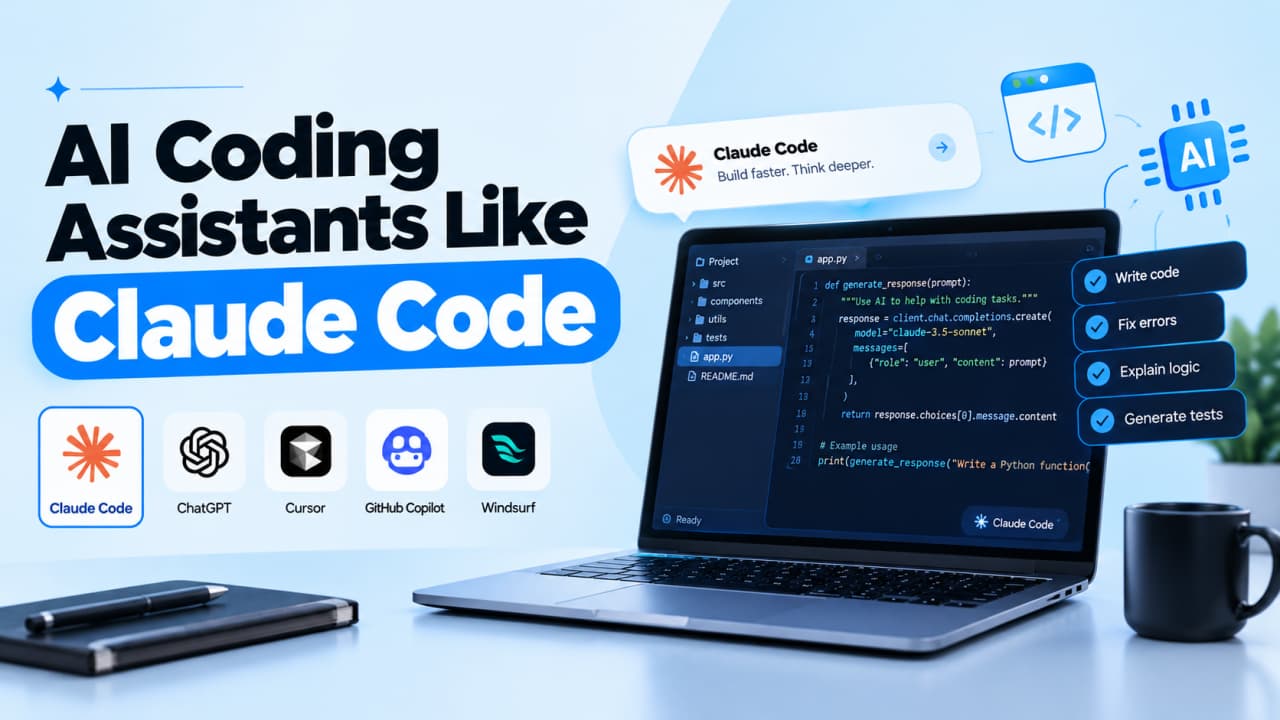
Most "top 10" lists rank AI coding tools as if every developer wanted the same thing. A student learning Python, a team on a huge monorepo, and a founder shipping an MVP need different tools. This guide matches each assistant to its best job, with current pricing and the trade-offs vendors leave out.
Quick answer: what is the best AI coding assistant
No single AI coding assistant is best for everyone. GitHub Copilot is the safest default because it works in almost every IDE and has a free tier. Claude Code and OpenAI Codex lead for agentic, multi-file work. Cursor suits people who want an AI-first editor. Teams with strict privacy rules should look at Tabnine or a self-hosted setup with Cline.
TL;DR
Pick by job first: autocomplete, chat, and agents are different products
Copilot is the broadest default; Claude Code and Codex lead agent work
Most tools now bill by usage, so sticker price rarely matches the real bill
AI-generated code still needs human review, especially for security
Air-gapped or zero-retention needs narrow the list fast
How we compared AI coding assistants
We didn't run benchmark tests. Rankings reflect documented capabilities, official pricing checked in October 2026, and recurring developer feedback from forums and GitHub discussions. We weighed six criteria:
Job fit: autocomplete, chat, debugging, refactoring, or agent work
Environment: IDE, terminal, browser, or CI
Codebase context: multi-file and large-repo handling
Cost predictability: how usage limits become a monthly bill
Privacy: training policies, retention and self-hosting
Model choice: one vendor or flexible
The order reflects broad usefulness, not a mathematical score.
AI coding assistant vs AI coding agent: why it matters
An AI coding assistant is software that helps you write, explain, debug or refactor code using a large language model. In 2026, the term covers three levels of autonomy:
Code completion: suggests the next line or block as you type
Chat assistant: answers questions and edits code when you ask
AI coding agent: plans a task, edits multiple files, runs commands and tests, then reports back
An AI IDE like Cursor bundles all three into an editor. A general chatbot writes code but can't see your repository.
It matters because agents act rather than suggest: more autonomy saves time but raises the cost of mistakes.
💡 Where does HCLTech AI Force fit?It isn't a coding assistant competing with Copilot. HCLTech describesAI Force for Coding Agents as a layer that "works alongside the AI coding agents and IDEs your developers already use, adding enterprise governance and visibility." It's governance on top of assistants, not a replacement.
🔧 Building AI into your own product?If your team also needs to call several language models from your own app,Scriptrun offers an OpenAI-compatible API and a visual workflow builder for chaining model calls, logic, and webhooks.See how Scriptrun works.
The 8 best AI coding assistants in 2026
Explore the 8 best AI coding assistants in 2026:
GitHub Copilot
Best for: developers who want AI help inside the editor they already use. What it does: completions, chat, agent mode, and a cloud agent that works from GitHub issues. Strengths: supports VS Code, Visual Studio, JetBrains, Eclipse, Xcode, and Neovim; free tier; Business and Enterprise data isn't used for training. Limitations: usage-based AI Credits (since June 2026) make heavy agent use harder to budget. Pricing: Free; Pro $10/month; Pro+ $39; Max $100; Business $19/user; Enterprise $39/user. Our take: the lowest-friction start, especially for GitHub teams.
Claude Code
Best for: developers delegating refactors, migrations, and test writing. What it does: an agent that reads your codebase, edits files, and runs commands from the terminal, IDE, or web. Strengths: strong repository-level reasoning; VS Code and JetBrains support; GitHub Actions and GitLab CI integration. Limitations: 5-hour and weekly usage limits on subscriptions; not available on the free Claude plan. Pricing: included with Claude Pro ($20/month, or $17 billed annually), Max (from $100), Team and Enterprise, or pay-as-you-go via API. Our take: the pick when an agent should own a task, provided you review its diffs.
Cursor
Best for: developers willing to switch editors for deeply integrated AI. What it does: a VS Code-based editor with completions, agents, and Bugbot code review. Strengths: fast multi-file edits; multiple model providers; familiar extensions. Limitations: Cursor's docs say daily agent users typically spend 60–100/month. SpaceX completed its acquisition of Cursor in August 2026, so watch for changes. Pricing: Hobby free; Pro $20/month; Pro Plus $60; Ultra $200; Teams $40/user. Our take: excellent for solo developers and small teams; budget beyond the base plan.
OpenAI Codex
Best for: ChatGPT subscribers who want an agent without another subscription. What it does: a coding agent available as a CLI, IDE extension, desktop app, and cloud service. Strengths: included in every ChatGPT plan, including Free; parallel cloud tasks; GitHub pull request reviews. Limitations: message limits per 5-hour window vary by plan and model. Pricing: ChatGPT Free, Go (8), Plus(20), Pro (from 100), Business(25/user monthly). Our take: a cost-efficient agent for OpenAI users.
Gemini Code Assist
Best for: teams building on Google Cloud, Firebase, or Android. What it does: completions, chat, and agent mode in VS Code, JetBrains, and Android Studio, plus Gemini CLI. Strengths: generous free Gemini CLI quota (1,000 requests/day with a Google account); source citations and IP indemnification on paid editions. Limitations: daily request caps; most valuable inside Google's ecosystem. Pricing: Standard about $19/user/month on an annual commitment; Enterprise about $45. Our take: the strongest free terminal option and a natural fit for Google stacks.
JetBrains AI (with Junie)
Best for: developers who live in IntelliJ IDEA, PyCharm, WebStorm, or Rider. What it does: AI Assistant for chat and completions, plus Junie, JetBrains' coding agent. Strengths: deep IDE integration; bring-your-own-key and local model support. Limitations: works only in JetBrains IDEs; credit-based quotas can run out quickly. Pricing: AI Free; AI Pro $10/month; AI Ultimate $30; Enterprise $60. Our take: the most native option for JetBrains users.
Cline
Best for: developers who want full control over models and costs. What it does: an open-source (Apache 2.0) agent for VS Code, JetBrains and the CLI. Strengths: works with Anthropic, OpenAI, Google, any OpenAI-compatible endpoint, and local models via Ollama; asks approval before actions. Limitations: you manage keys and model costs; quality depends on your model. Pricing: free; you pay only for model usage. Enterprise is custom. Our take: the most flexible choice, and a path to local processing.
Tabnine
Best for: regulated organizations that can't send code to a vendor cloud. What it does: completions, chat, and agents with SaaS, VPC, on-prem, or fully air-gapped deployment. Strengths: zero code retention; no training on your code; SOC 2 and ISO 27001. Limitations: no free plan listed; annual billing only. Pricing: Code Assistant Platform $39/user/month; Agentic Platform $59/user/month. Our take: the clearest answer when compliance outweighs capability.
Also worth knowing:Amazon Q Developer is being replaced by Kiro, Windsurf is now Devin Desktop, and Replit Agent suits browser-based beginners.
AI coding assistants compared
Tool
Best for
Agent
Environment
Starting price
Key limitation
GitHub Copilot
Most developers
Yes
Most IDEs
Free
Credit-based billing
Claude Code
Agentic tasks
Yes
Terminal, IDE, web
$20/mo
Weekly limits
Cursor
AI-first editor
Yes
Own IDE
Free
Variable usage costs
OpenAI Codex
ChatGPT users
Yes
CLI, IDE, cloud
Free
5-hour limits
Gemini Code Assist
Google stacks
Yes
IDE, CLI
Free CLI
Daily caps
JetBrains AI
JetBrains users
Junie
JetBrains only
Free
Credit quotas
Cline
Model control
Yes
VS Code, JetBrains, CLI
Free + API
You manage keys
Tabnine
Air-gapped teams
Yes
Major IDEs
$39/user
No free plan
Where Scriptrun fits
Scriptrun isn't an AI coding assistant and doesn't replace any tool above. It solves a different problem: using several language models inside your own product or automation. Its documentation describes:
An OpenAI-compatible Chat Completions endpoint, so OpenAI SDK code switches by changing the base URL and key
A visual editor chaining LLM, API, and logic nodes
A Workflow API with webhooks
A free tier includes 250 SR tokens, no card required. Chat requests run synchronously with a 60-second timeout, so longer jobs belong in the Workflow API.
How to choose the best AI coding assistant for you
Answer these six questions in order:
What's the job? Completions, debugging chat, or an agent for multi-file changes.
Where do you work? Your IDE (Copilot, JetBrains AI), an AI editor (Cursor), or the terminal (Claude Code, Codex, Gemini CLI).
How much autonomy? Start with suggestions; adopt agents once your review habits are solid.
What's your real budget? Estimate usage, not seat price.
What are your privacy rules? Check training, retention, and self-hosting.
Do you need model choice? Cline and JetBrains AI support their own models.
Common mistakes when using AI coding tools
The biggest mistake is trusting output that looks finished:
"AI solutions that are almost right, but not quite." is the top frustration in theStack Overflow 2025 Developer Survey, cited by 66% of respondents
Security is the other blind spot. Veracode's 2025 research found that "when given a choice between a secure and insecure method to write code, GenAI models chose the insecure option45 percent of the time."
Other avoidable mistakes:
Letting agents run commands without approval or backups
Installing AI-suggested packages without checking they exist
Assuming AI speeds up every task.METR's 2026 update says developers are "likely" more sped up than in early 2025, but calls its own data "only very weak evidence" for the size of the gain
When not to use an AI coding assistant:security-critical code you can't fully review, unfamiliar code you need to learn deeply, and anything covered by rules that forbid sharing source code externally.
Final verdict
The best AI coding assistant fits your job, environment, and risk tolerance. Start with GitHub Copilot if you're unsure, add Claude Code or Codex for agent work, and choose Tabnine or Cline when privacy or model control comes first. If you also build AI features into your own product,explore Scriptrun's workflow builder as a separate layer for model access and automation.
Which is the best coding AI assistant for beginners?
GitHub Copilot is the easiest starting point for beginners because it has a free tier and works inside common editors like VS Code. Codex is another free option through ChatGPT. Use chat to understand code, not just generate it.
What is the difference between an AI coding assistant and an AI coding agent?
An AI coding assistant suggests or edits code when you ask, while an AI coding agent plans and completes multi-step tasks on its own. Agents can edit many files, run commands and test changes. That autonomy saves time on larger tasks but requires careful review of every change.
Is GitHub Copilot better than Cursor?
Neither is better for everyone. Copilot works inside most existing IDEs and has a cheaper entry plan, while Cursor is a dedicated AI editor built around agent workflows. Choose Copilot to keep your editor, Cursor to put AI at the center.
Are AI coding assistants safe for proprietary code?
They can be, depending on the plan and settings. GitHub says it doesn't train on Copilot Business or Enterprise data, and Tabnine offers zero code retention and air-gapped deployment. Individual plans may have different defaults, so check each vendor's data policy before using sensitive code.
Which AI coding assistant is best for large codebases?
Agentic tools like Claude Code, Codex and Cursor generally handle large codebases best because they can search and edit across many files. Results still depend on context limits and project structure. Clear project instructions and scoped tasks improve accuracy.
Learn how to measure API latency, benchmark DeepL requests, investigate Discord delays, and improve AI API performance. Set realistic targets and test changes without overlooking reliability, output quality, or cost.
Is ChatGPT General Purpose Technology? Explore the evidence, what it means for businesses, and how ScriptRun helps turn AI capabilities into repeatable processes.
Practical strategies for LLM API cost optimization. Learn how to reduce your cloud computing bills using dynamic model routing, context caching, and a unified enterprise billing platform.


 Tina
Tina