

Integrating 50+ LLMs via OpenAI-Compatible Chat Completions API
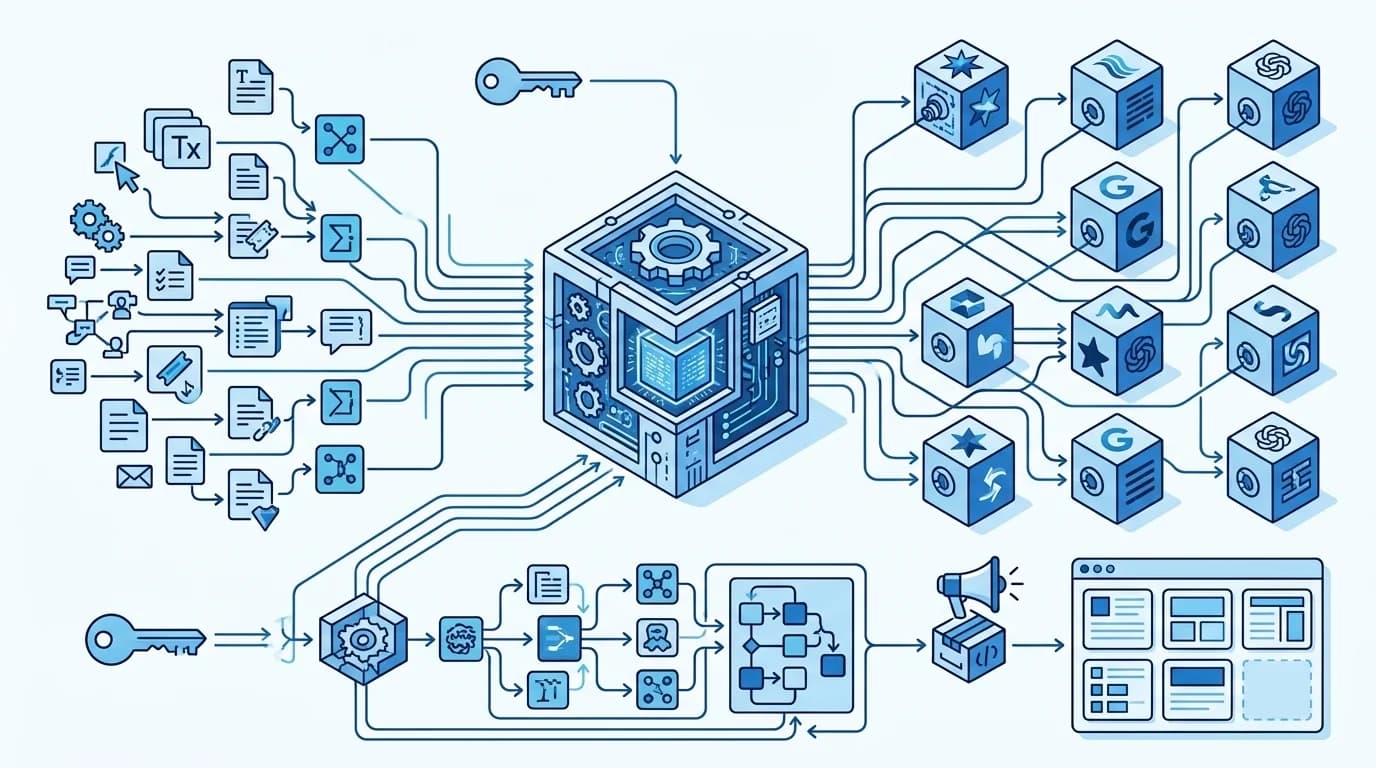
Table of contents:
Maintaining separate SDKs for three or four language model providers inside one codebase wastes engineering time. One sprint your backend calls OpenAI for text generation. The next sprint product managers want Claude for document parsing and a lightweight Gemini model for ticket routing. If you write custom wrappers for every vendor, you end up tracking breaking SDK updates and normalizing mismatched JSON outputs while rotating dozens of API secrets.
Using an OpenAI compatible Chat Completions API removes that infrastructure overhead. ScriptRun acts as a drop-in gateway that accepts standard OpenAI client requests, proxies them to over 50 models, and returns the exact response structure your application already expects.
TL;DR: Deploying an OpenAI compatible chat completions API in production
-
Two-line migration: Point base_url in your existing OpenAI Python or Node.js SDK to https://scriptrun.ai/v1 and pass your ScriptRun key.
-
Dual auth conventions: Use Authorization: Bearer <API_Key> for /v1/chat/completions, and X-Api-Key for project and workflow management endpoints.
-
Hard 60-second timeout: Synchronous chat calls time out at 60 seconds. Multi-step pipelines belong in the asynchronous Workflows API.
-
Consolidated SR token billing: Route cheap classification tasks to lightweight models and complex reasoning to flagship models under a single project balance.
Architecture of the unified chat completions endpoint and LLM proxy versioning
ScriptRun splits API traffic into two distinct execution paths: synchronous model proxying and asynchronous graph orchestration. When your application needs a direct, real-time response from a language model, it hits the unified chat completions endpoint at POST https://scriptrun.ai/v1/chat/completions.
Notice the URL path structure. While every other resource on the platform lives under /api/v1/..., the chat endpoint sits directly at /v1/chat/completions. Official OpenAI SDKs automatically append /chat/completions to whatever base URL you configure. Keeping this endpoint at the root /v1/ path lets you connect existing codebases or visual automation nodes (like n8n) without writing custom URL rewriters.
Strict LLM proxy versioning via the v1 URI segment locks in data contracts. When upstream providers modify their internal endpoints or new model families go live on the gateway, your request and response schemas stay intact. Keep in mind that this synchronous proxy enforces a strict 60-second server-side timeout. Use it for interactive chat and fast completions. Offload long-running jobs to background workflows instead.
🔑 Connect one API key for every capability
How to replace OpenAI API base URL with custom proxy and Bearer authentication
A common gotcha when integrating the platform is mixing up authentication headers across different API modules. The chat gateway uses a standard LLM API authentication bearer token (Authorization: Bearer <Your_API_Key>) because official OpenAI libraries hardcode Bearer formatting into their HTTP clients. Conversely, all other platform endpoints (/api/v1/projects/ and /api/v1/workflows/) require the X-Api-Key: <Your_API_Key> header.
Here is how to replace OpenAI API base URL with custom proxy settings in Python using the standard openai package:
from openai import OpenAI

client = OpenAI(
    api_key="sr_live_your_project_api_key",
    base_url="https://scriptrun.ai/v1",
)

response = client.chat.completions.create(
    model="gpt-4o",
    messages=[
        {"role": "system", "content": "You are a backend assistant. Reply concisely."},
        {"role": "user", "content": "Validate this webhook payload structure."},
    ],
)

print(response.choices[0].message.content)
If you prefer raw HTTP calls without the SDK wrapper, pass the request headers explicitly via requests or curl:
import requests

url = "https://scriptrun.ai/v1/chat/completions"
headers = {
    "Authorization": "Bearer sr_live_your_project_api_key",
    "Content-Type": "application/json",
}
data = {
    "model": "gpt-4o",
    "messages": [
        {"role": "system", "content": "You are a helpful assistant."},
        {"role": "user", "content": "Hello!"},
    ],
}

response = requests.post(url, headers=headers, json=data)
print(response.json())
Behind the scenes, the proxy handles automated key injection. You authenticate with your ScriptRun project tokens, and the gateway injects the required vendor credentials for OpenAI, Anthropic, Google, or DeepSeek. Software agencies and B2B SaaS teams can scope keys to specific projects. This isolates client budgets and webhook settings without maintaining separate vendor accounts.
📁 Organize isolated client workspaces inside ScriptRun Projects
ChatCompletions JSON payload, model switching, and streaming responses
Because the endpoint operates as a thin proxy, the ChatCompletions JSON payload mirrors OpenAI's official specification verbatim. You pass model, messages, temperature, tools for function calling, or image URLs for Vision tasks, and receive the standard choices and usage objects back.
Having an OpenAI compatible Chat Completions API connected to 50+ models unlocks immediate cost arbitrage in production. Take a real-world enterprise RAG assistant handling customer support tickets. Around 75% of incoming queries are simple status checks or intent classification tasks. Sending those prompts to a top-tier reasoning model burns budget for no quality gain.
Instead, teams route requests dynamically by changing the model string in the payload:
- Pre-filtering and classification: Route to gemini-2.5-flash-lite ($0.10 per 1M input tokens, $0.025 on cache reads) or deepseek-v4.1-flash ($0.15 per 1M input tokens). Input processing costs drop by 26x to 40x.
- Complex synthesis and agent deduction: Route escalations to claude-opus-5.5 ($4.00 input / $20.00 output) or gpt-6-sol ($2.00 / $10.00).
Regardless of which provider processes the prompt, the returned JSON schema stays identical:
{
  "id": "chatcmpl-abc123",
  "object": "chat.completion",
  "created": 1700000000,
  "model": "gpt-4o",
  "choices": [
    {
      "index": 0,
      "message": {
        "role": "assistant",
        "content": "Payload validated. All required fields are present."
      },
      "finish_reason": "stop"
    }
  ],
  "usage": {
    "prompt_tokens": 20,
    "completion_tokens": 9,
    "total_tokens": 29
  }
}
When you stream LLM responses via unified chat completions API (stream: true), the server pushes Server-Sent Events (SSE) chunks as tokens generate. One practical benchmark tip when monitoring API response latency: several upstream providers emit initial SSE frames containing only role metadata (role: assistant) or empty strings before actual words appear. Always filter out empty content deltas on the client side to measure true time to first text rather than raw TTFB. All model calls deduct from a unified SR token balance. You can track expenses across multiple currencies and configure auto-top-up triggers with corporate e-invoicing.
💳 Compare AI provider rates and token pricing
API pagination for projects and offloading long tasks to workflows
Even a fast OpenAI compatible Chat Completions API is the wrong tool for jobs that take several minutes to complete. Consider an automated competitor monitoring pipeline. The system fetches external web pages via HTTP nodes, strips navigation boilerplate, runs sentiment and diff analysis across two LLMs, calculates a confidence score, and fires a Slack webhook.
Running that sequence inside a synchronous chat request will hit the 60-second timeout wall. For multi-node orchestration, use the asynchronous Workflow API (/api/v1/workflows/). When authenticating with an X-Api-Key, pass your input variables directly as a flat JSON body (do not wrap them in input_data, which is reserved for frontend JWT sessions):
import time
import requests

API_KEY = "sr_live_your_project_api_key"
WORKFLOW_ID = 6

# 1. Start the workflow run (flat JSON body with X-Api-Key)
run_resp = requests.post(
    f"https://scriptrun.ai/api/v1/workflows/{WORKFLOW_ID}/run/",
    headers={"X-Api-Key": API_KEY, "Content-Type": "application/json"},
    data='{"user_name": "John Doe", "category": "positive"}',
)
run_body = run_resp.json()

# Check the inner execution status, not just HTTP 200
if run_body.get("status") != 201:
    raise RuntimeError(f"Workflow failed to start: {run_body}")

run_id = run_body["data"]["id"]  # Save this UUID for polling
When polling GET /api/v1/workflows/workflow_result/, account for temporal semantics. There is a brief 1-to-2-second consistency window where the backend marks a run status as "succeed" slightly before all node outputs finish writing to data.data. Verify both the terminal status and a non-empty data.data dictionary before closing the loop:
def poll_workflow_result(run_id: str, api_key: str, timeout_seconds: int = 180):
    headers = {"X-Api-Key": api_key}
    url = "https://scriptrun.ai/api/v1/workflows/workflow_result/"
    terminal = {"succeed", "failed"}
    deadline = time.time() + timeout_seconds

    while time.time() < deadline:
        resp = requests.get(url, headers=headers, params={"id": run_id})
        data = resp.json().get("data", {})
        status = data.get("status")

        if status in terminal:
            node_results = data.get("data", {})
            if node_results:
                return data  # Fully consistent result
            time.sleep(2)
            continue

        time.sleep(3)

    raise TimeoutError(f"Workflow run {run_id} timed out after {timeout_seconds}s")
Also handle result.content defensively. Certain LLM nodes wrap structured JSON outputs inside markdown code fences (```json ... ```). Strip code fences using regex (r"```(?
)?\s*($\s\S$*?)\s*```") before calling json.loads().⚙️ Build multi-step logic chains in ScriptRun Workflows
As your organization scales across dozens of client workspaces and thousands of execution logs, list endpoints enforce API pagination for projects and run histories. Pass page and size parameters (defaulting to 10 items, up to 100 max) to keep payload sizes small and dashboard queries fast:
import requests

url = "https://scriptrun.ai/api/v1/projects/"
headers = {"X-Api-Key": "sr_live_your_project_api_key"}
params = {"page": 1, "size": 10, "name__icontains": "client"}

response = requests.get(url, headers=headers, params=params)
print(response.json())
💡 For more details on how to build such a pipeline step by step, check out our article: How to Build an AI Competitor Monitoring Workflow.
If you don't want to build complex graphs from scratch, query /api/v1/workflows/marketplace/ and clone verified templates into your workspace via POST /api/v1/workflows/marketplace/{slug}/add-from-marketplace/. ScriptRun deploys a Hidden Copy inside your project: your backend passes inputs and reads outputs via API while the author's underlying system prompts remain encapsulated.
🚀 Deploy ready-made AI workflows from the Marketplace
How to Handle LLM API Rate Limits, Status Errors, and Failover
Production AI systems face constant upstream turbulence, from sudden token quota spikes to regional provider outages. Knowing how to handle LLM API rate limits and status errors keeps your user-facing features responsive.
When calling the OpenAI compatible Chat Completions API, upstream errors return in standard OpenAI error JSON shapes, while platform endpoints return structured HTTP status codes and inner execution states:
Error Code / State | Endpoint Scope | Root Cause | Gateway Behavior & Client Action |
400 Bad Request | All endpoints | Malformed JSON or missing required fields (e.g., omitted model). | Validate request payload schema before sending. |
401 Unauthorized | All endpoints | Invalid API key or wrong auth header (Bearer vs X-Api-Key). | Match Bearer to /v1/chat/completions and X-Api-Key to /api/v1/*. |
422 (inside HTTP 200) | POST /workflows/{id}/run/ | Node-level input validation failure (e.g., empty required trigger field). | Inspect response["status"] == 422 and read per-node errors in data.data. |
429 Too Many Requests | All endpoints | Rate limit exceeded (60 RPM default per key) or token quota hit. | Implement client-side retries with exponential backoff. |
500 / 502 / 503 | Gateway & Upstreams | Internal server error or temporary upstream LLM outage. | Gateway triggers automated failover handling and fallback ladders. |
By default, each API key allows 60 requests per minute (RPM) alongside Token-Aware Rate Limiting to prevent noisy-neighbor slowdowns. When an upstream provider throws 503 Service Unavailable or 429 error codes, ScriptRun's Smart Routing and fallback ladders automatically reroute the request to an equivalent model tier.
Request-level idempotency prevents double billing if your HTTP client retries a timed-out request. For asynchronous pipelines, failed executions are isolated in Dead Letter Queues (DLQ) so you never lose the initial payload. Once you fix a downstream issue, trigger POST /api/v1/workflows/{id}/history/{run_id}/re-run/ to replay the exact execution.
Combining a synchronous OpenAI compatible Chat Completions API with an asynchronous workflow engine gives engineering teams a clean architectural split. You get instant drop-in compatibility for real-time chat features and a resilient, observable runtime for heavy background automation.

FAQs about OpenAI-compatible chat completions API
Why does the Chat Completions endpoint use Bearer auth while other endpoints use X-Api-Key?
The /v1/chat/completions route uses Authorization: Bearer <API_Key> so official OpenAI SDKs and third-party tools can connect without modifying their internal authentication logic. All native platform endpoints (/api/v1/projects/, /api/v1/workflows/) use the X-Api-Key header.
Why is the chat endpoint located at /v1/chat/completions instead of /api/v1/?
OpenAI client libraries automatically append /chat/completions to the configured base_url. Hosting the endpoint at [https://scriptrun.ai/v1/chat/completions](https://scriptrun.ai/v1/chat/completions) lets you set base_url="[https://scriptrun.ai/v1](https://scriptrun.ai/v1)" directly without path conflicts.
What happens if a request to the OpenAI compatible Chat Completions API takes longer than 60 seconds?
The synchronous chat proxy enforces a hard 60-second server-side timeout. Any multi-step prompt chain or web-scraping task that exceeds 60 seconds should be executed asynchronously via POST /api/v1/workflows/{id}/run/.
How should I format input data when starting a workflow run via API key?
When authenticating with X-Api-Key, send your JSON object or plain text directly as a flat request body. Do not wrap the payload in {"input_data": {...}} - that wrapper is only used for JWT-authenticated frontend sessions.
Why is data.data sometimes empty right after a workflow run status turns to succeed?
A brief 1-to-2-second timing window exists between when the execution engine marks a run as "succeed" and when all node outputs finish persisting to the database. Always verify that data.data is non-empty before stopping your polling loop; if it is empty, wait 2 seconds and retry.
How can I audit the exact token cost of individual nodes in a workflow run?
Call GET /api/v1/billing-history/workflowrun/{run_id}/ with your X-Api-Key. The endpoint returns a paginated list of billing transactions broken down by each executed node UUID and currency (USD and SR).
What is the default rate limit for ScriptRun API keys and can it be increased?
Every API key starts with a default limit of 60 requests per minute (60 RPM). If your production workload requires higher throughput, contact support at support@scriptrun.ai or via the official Telegram channel @scriptrunai for custom rate limits.
Related posts
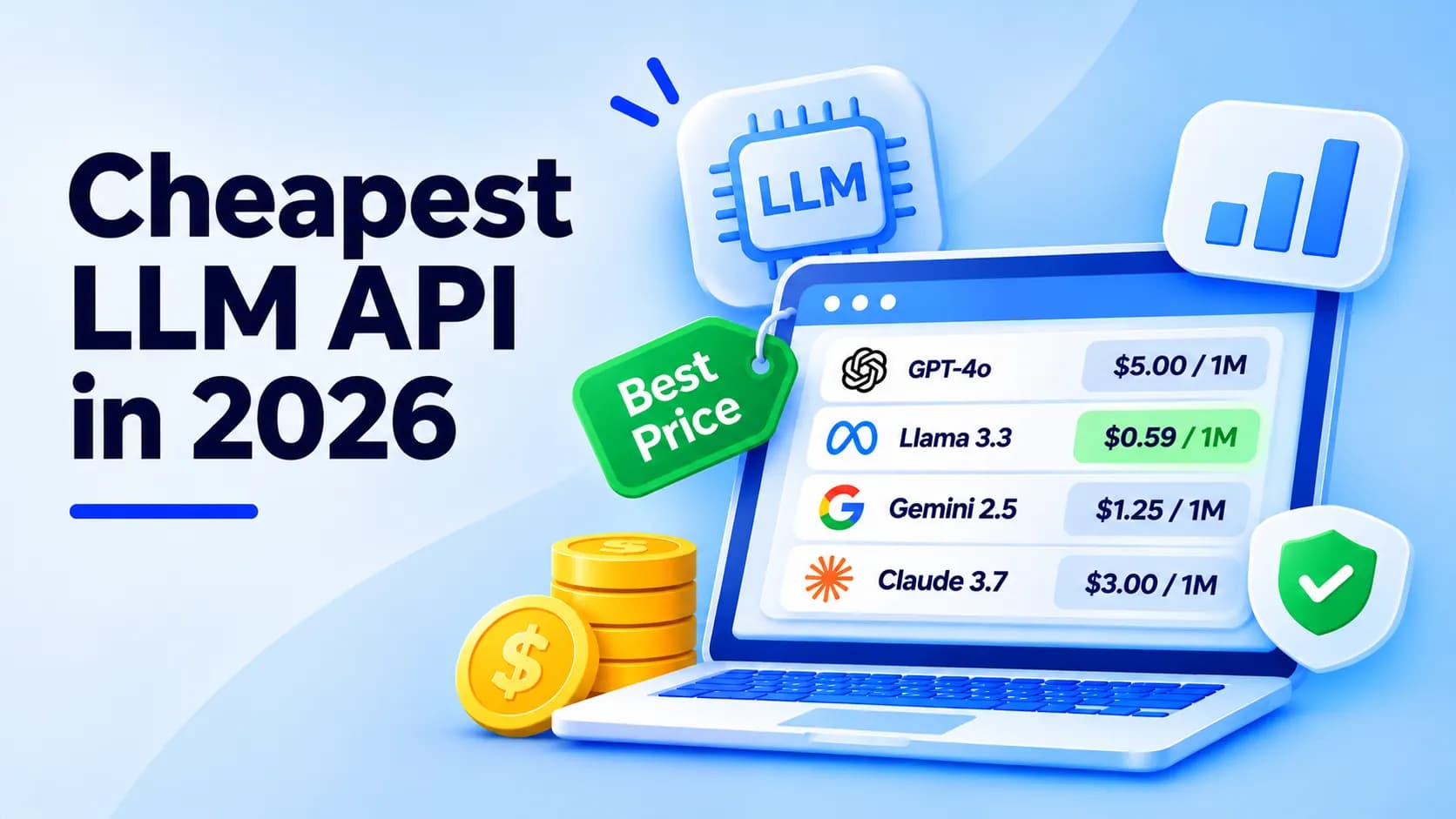
Cheapest LLM API 2026: Verified Prices per 1M Tokens
Which is the cheapest LLM API? Verified prices for OpenAI, Claude, Gemini, DeepSeek, Qwen, Mistral and Groq, plus real workload costs and hidden fees.
 Anna

AI Agent Marketplace: 10 Best Places to Find, Run and Sell AI Agents in 2026
What an AI agent marketplace is, 10 top platforms compared on cost to try and who can sell, a safety checklist, and how to list your own agent in 2026.
Anna
Free LLM API: Which Providers Are Still Free in 2026 (Limits, Keys and Catches)
Every free LLM API worth using in 2026, checked against official docs: free tiers vs credits, limits, data terms, how to get a key, and fallback code.
Anna
OpenAI Compatible API: What It Is, Who Supports It and How to Switch Safely
An OpenAI compatible API guide: base URLs for 15 providers, what breaks when you switch, a copy-paste smoke test and a safe migration checklist.
Anna