Is ChatGPT generative AI? Yes. ChatGPT is an application that uses generative AI to produce responses to your prompts, including explanations, email drafts, and code. Generative AI is the broader category of technology behind those capabilities.
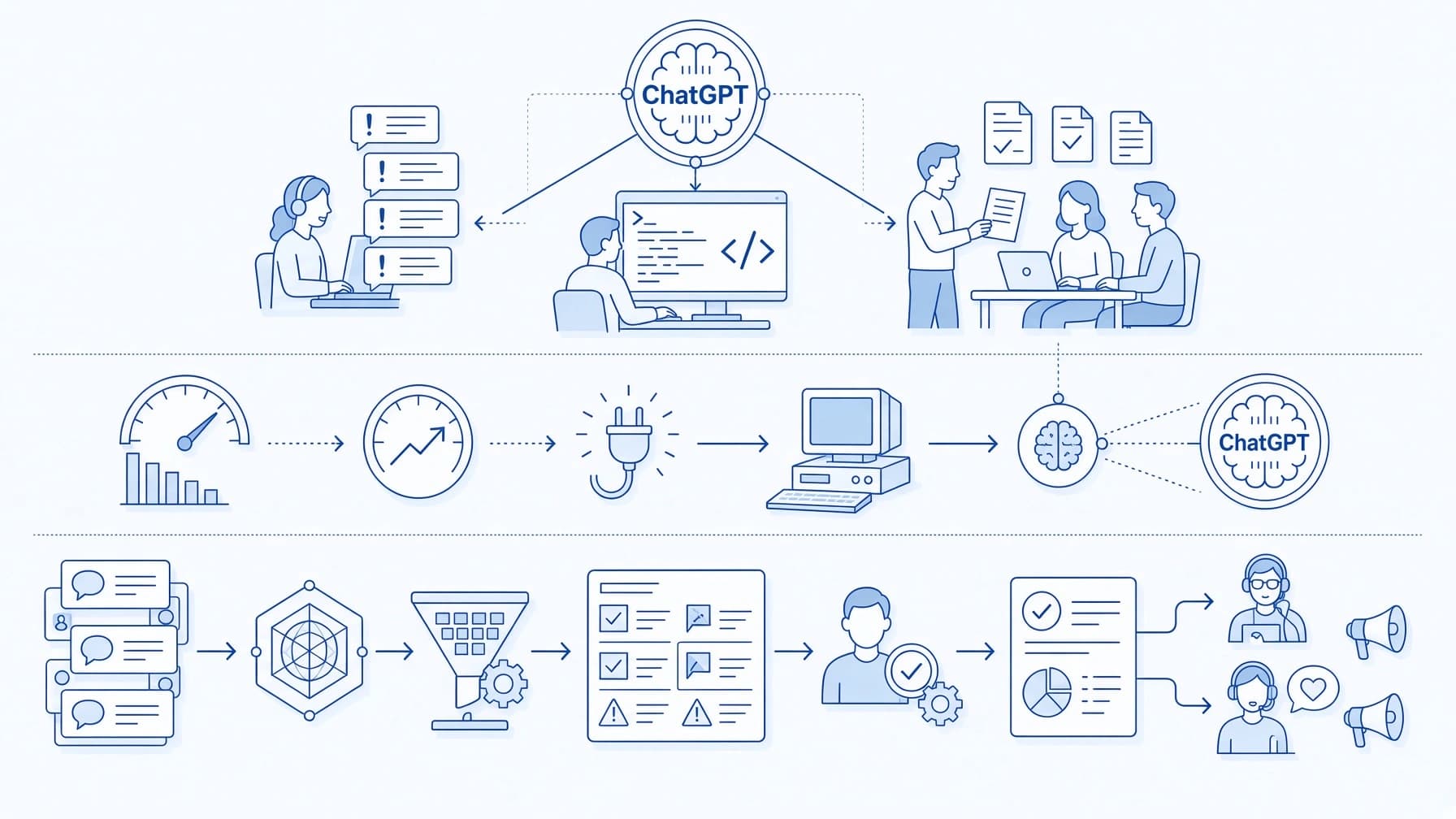
The distinction helps when choosing how to use it. Asking for one email draft is straightforward. A workflow, however, such as handling a stream of customer requests or involves more: supplying the right information, generating useful responses, and reviewing what comes back. That’s where platforms such as ScriptRun enter the picture, connecting AI models with other steps in a repeatable process.
Generative AI creates content based on patterns learned during training and the information supplied in a prompt. Give ChatGPT a brief such as “Write a friendly email explaining that an order will arrive two days late,” and it can turn those instructions into a draft with a greeting, an explanation, and a closing.
Change the brief, and the response can change with it. You might ask for a shorter message, add a revised delivery date, or specify that the customer has already contacted support twice.
A system limited to predefined answers would select an existing message according to a rule or a recognized request. ChatGPT generates its wording in context, predicting successive pieces of text rather than simply selecting a complete, prewritten reply. That flexibility also leaves room for mistakes: it might add a refund offer you never authorized.
So, is ChatGPT a generative AI application? Yes. Its ability to generate responses is what places it in that category, although a convincing answer still needs checking.
ChatGPT is one way to interact with generative models. People can also access them through APIs and platforms that connect content generation with other tasks, which is where ScriptRun fits.
Where do ChatGPT and ScriptRun fit?
ChatGPT gives you a conversational interface for working with AI. You can ask a question, supply a document, or refine a draft through follow-up instructions.
ScriptRun lets you connect AI models, APIs, and logic in a visual workflow builder. A model’s response can become one step in a larger process, with defined inputs, conditions, and subsequent actions.
Expert’s Insight: ScriptRun also gives you access to GPT, Claude, Llama, Mistral, and other models through one interface, without separate accounts or API keys for each provider.
Concept or product
Role
Generative AI
The broader technology category used to generate content
ChatGPT
An application for interacting with AI
ScriptRun
A platform for building workflows that use AI models from several providers
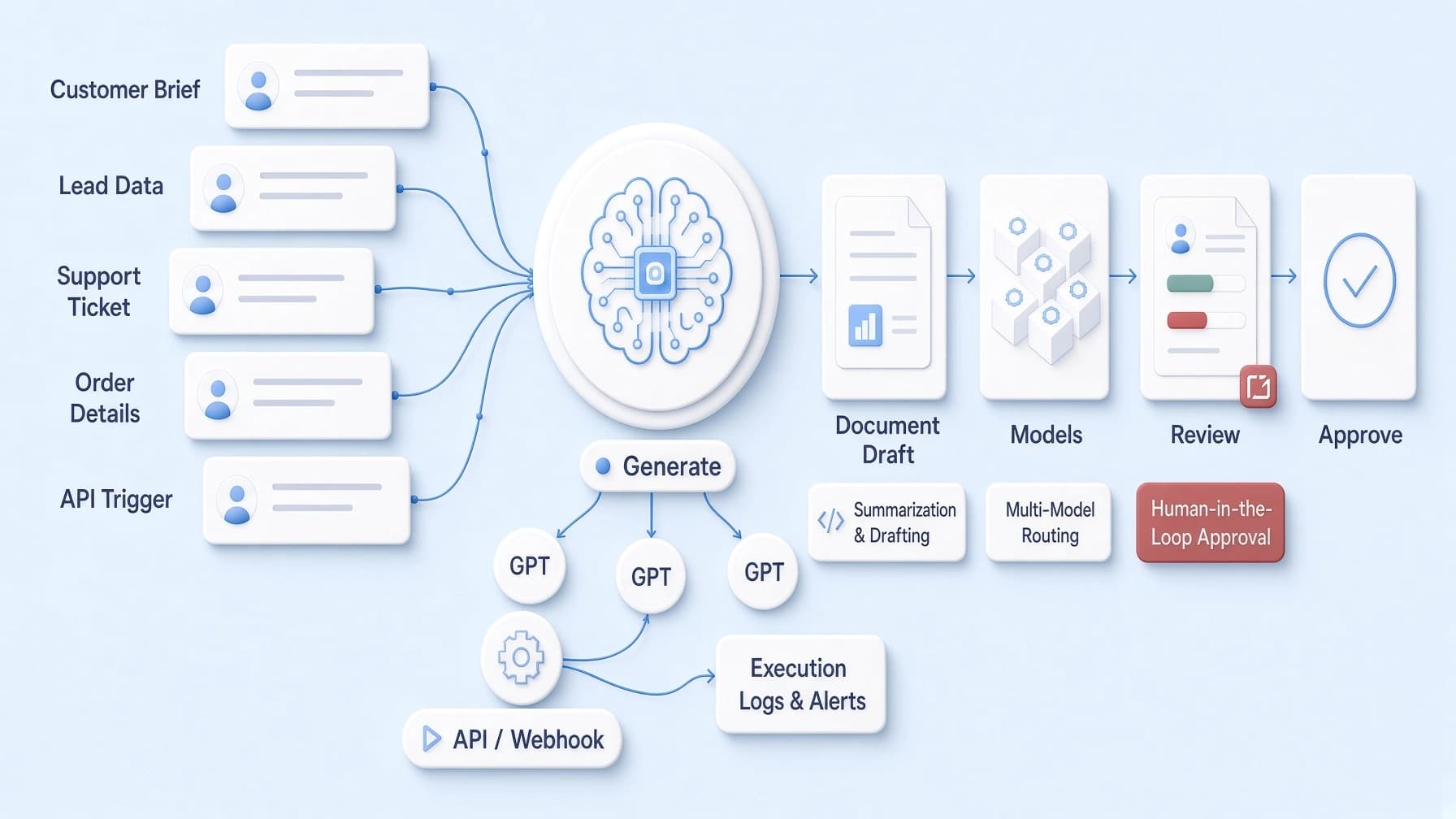
Consider the delayed-order email from the previous example. You could ask ChatGPT to draft it and adjust the wording in conversation. In a workflow, order details could instead arrive through an API, pass to a model with your instructions, and produce a draft for review.
ScriptRun provides the tools to connect those steps. The generative model handles the wording; the surrounding workflow determines when it runs and what information it receives. That distinction becomes useful when the same task comes up repeatedly.
What type of AI is Chat GPT?
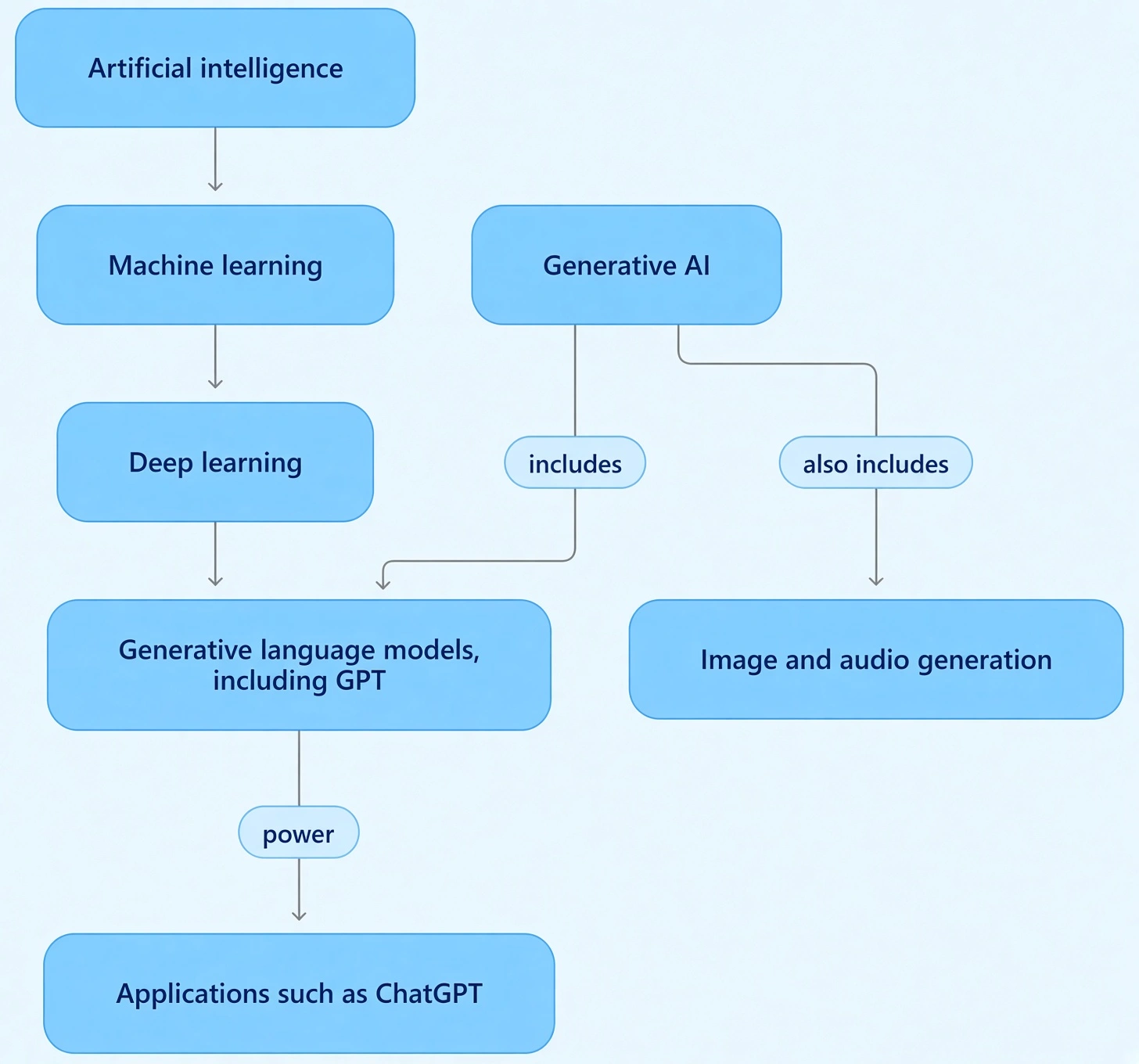
ChatGPT is a generative AI application. To understand what powers it, it helps to separate a few terms that often get bundled together.
Artificial intelligence is the broad field of building systems that perform tasks such as recognizing speech, interpreting language, and solving problems. Machine learning is an approach within AI: systems learn patterns from data instead of relying entirely on explicitly written rules.
The models behind ChatGPT use deep learning, a form of machine learning based on neural networks with many layers. Large language models, or LLMs, use these methods to learn patterns in language and process text in context. Generative LLMs can produce responses, including explanations, summaries, and code.
GPT stands for Generative Pre-trained Transformer. It names a family of models, with “transformer” referring to the neural network architecture. ChatGPT is the application through which users interact with the models and available tools.
The distinction is practical. A model processes inputs and generates outputs. The application supplies the interface and features around it, such as the conversation window. Models with multimodal capabilities can also work with information beyond text.
Generative AI describes the ability to produce content across these systems. It includes language generation, but also image, audio, and other forms of generation.
Is ChatGPT a LLM or generative AI?
Both terms help explain ChatGPT, but they describe different things. A large language model is a type of model; generative AI is a broader category of systems that produce content. ChatGPT is the application built around those capabilities.
Calling ChatGPT “an LLM” is common shorthand. More precisely, it is a generative AI application powered by language models, including models with multimodal capabilities. These can process information beyond text, such as images or audio, depending on the model. The application also provides the interface and tools through which people use those capabilities.
So, is ChatGPT generative AI even when it summarizes a document rather than writes something from scratch? Yes. Producing a summary still involves generating a response, even though that response should stay grounded in the supplied material.
Generative AI also extends beyond language models. Image generators can use diffusion models, for example, while other systems generate music, speech, or video. An LLM is one route to generating content, and language is only part of the picture.
When evaluating a tool, these labels are a starting point. The more useful questions are what inputs it accepts, what outputs it produces, and whether those outputs suit your task.
From a single prompt to an AI workflow
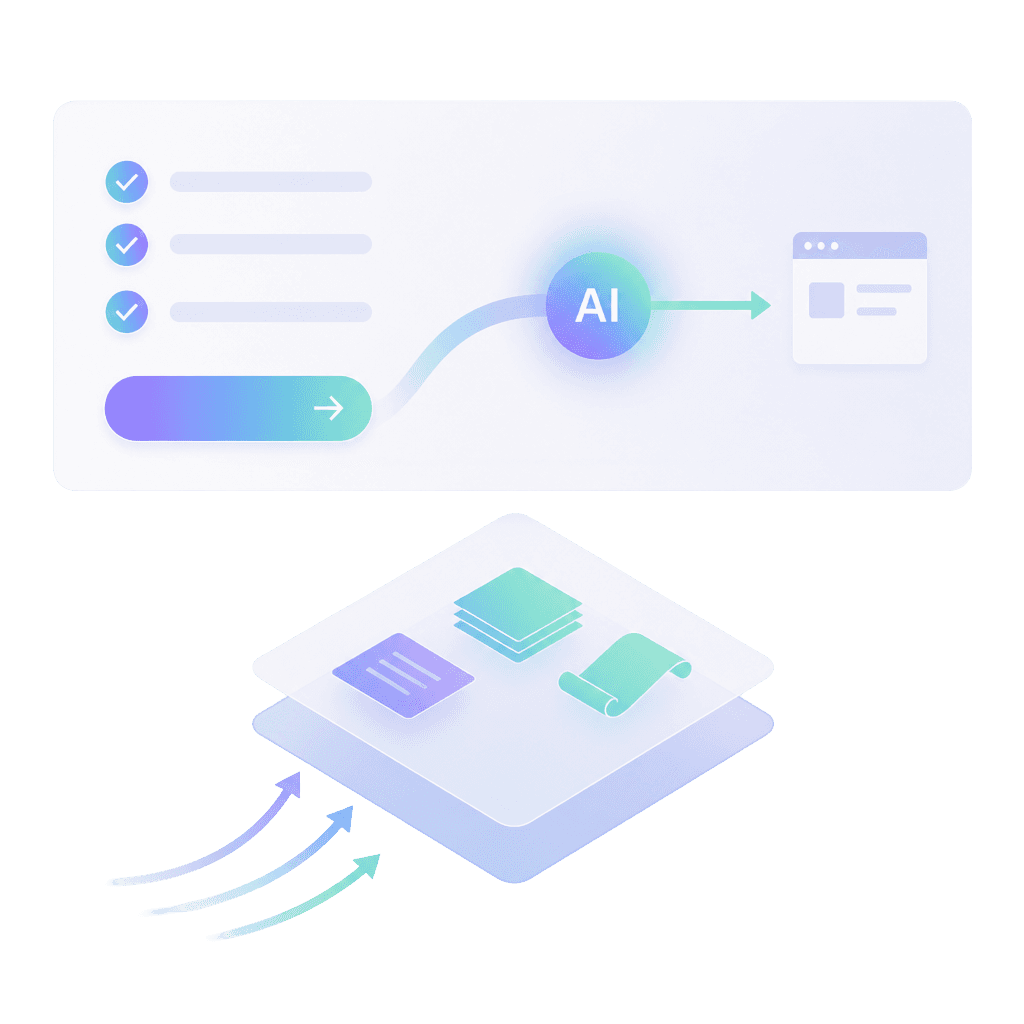
Turning a content brief into a draft is a familiar task: provide the topic, audience, source material, and tone, then ask a model to write. When briefs arrive regularly, a repeatable process can reduce the work of copying information and rebuilding the same instructions.
ScriptRun's visual editor, workflow API, and access to models such as GPT, Claude, and Llama provide building blocks for that process. Here is an illustrative setup, rather than a tested, ready-made template:
Receive the brief through an API call or webhook
Your existing system sends the topic, audience, approved facts, and formatting requirements to a ScriptRun workflow, either by calling the workflow API or through a webhook in the trigger node.
Prepare the model’s input
Combine those details with reusable writing instructions. Add a condition to flag briefs that lack required information before generation.
Write the draft using only the topic, audience, and approved facts in the brief.
Do not add offers, discounts, dates, or claims that are not listed.
If a required detail is missing, return"MISSING: <detail>" instead of a draft.
Follow the formatand length setin the brief.
Generate the draft
Pass the prepared input to a supported model. The task could be a product description, an email, or a summary of supplied research. Because the model is one step in the workflow, you can change it to Claude or another supported model and compare the drafts while the rest of the process stays the same.
Return the output for human review
Make the draft available to an editor, who checks accuracy, tone, and completeness before publication. ScriptRun can send webhooks on events such as a successful run or an error, so the draft can reach your review tool and a failed run can alert someone. You configure where those webhooks go.
ScriptRun supports API-based workflow launches, conditions, branches, and execution tracking. These capabilities help organize the steps around generation, so each new brief can follow the process you define.
Pro-tip: If you would rather not build from scratch, the ScriptRun marketplace offers ready-made scenarios. Installing one adds a copy to your project with the input fields already set up, so you enter your data and run it.
Using a GPT model through ScriptRun is different from using the ChatGPT application
The model receives instructions through the configured workflow; you are not operating a ChatGPT conversation or automatically carrying over its history and features.
Start with one recurring task, such as automated lead qualification, and a clear standard for an acceptable result. That gives you something concrete to test before expanding the workflow.
What should you check before using AI-generated output?
A polished draft can still contain a wrong date, an invented claim, or a promise your business cannot keep. Before using the output, check:
Accuracy: Verify names, numbers, dates, and references against reliable sources.
Missing context: Look for omitted conditions or exceptions that change the meaning.
Unsupported claims: Remove statements the supplied evidence does not support.
Instruction following: Confirm that the result matches the requested audience, tone, format, and scope.
Generated code needs testing in an isolated environment, including normal inputs, edge cases, error handling, and security checks appropriate to its purpose. An explanation that sounds convincing does not establish that the code works.
A repeatable workflow can repeat mistakes, too. Build in checks suited to the consequences of an error, with human approval before publishing customer-facing drafts.
Expert’s insight: In ScriptRun, each run keeps execution logs. If a draft includes a refund offer nobody approved, you can look through the steps to see whether the problem came from the input data, the instructions, or the model's output.
So, is ChatGPT generative AI? Yes. Getting useful results means pairing its generative capabilities with clear instructions and verification. To put that into practice with ScriptRun, choose one recurring task, define its inputs, and test a workflow that returns the output for review.
The free plan needs no card and covers about 25 workflow runs, enough to test one task before you commit.
¿Útil?
¡Comparte este artículo!
Crea workflows de IA en minutos
Crea automatizaciones, conecta APIs y accede a más de 50 modelos de IA desde una sola plataforma.
Crea automatizaciones, conecta APIs y accede a más de 50 modelos de IA desde una sola plataforma.
Constructor visual de workflows
API compatible con OpenAI
Mercado de workflows y plantillas
Empieza gratis, planes desde $5
FAQ
Is ChatGPT generative AI or a chatbot?
Both labels apply. ChatGPT is a chatbot because people interact with it through conversation. It is also a generative AI application because it generates responses to prompts. “Chatbot” describes the interaction format; “generative AI” describes the technology behind its content generation.
Is ChatGPT a generative AI model?
ChatGPT is an application powered by AI models. The distinction matters: the underlying models process inputs and generate responses, while ChatGPT provides the conversational interface and tools around them.
Can I use GPT models without the ChatGPT app?
Yes. GPT models are also available through APIs and platforms such as ScriptRun, where a model runs as one step in a workflow you configure. You get the model's generation, but not ChatGPT's conversation history or built-in features.
Are all large language models generative AI?
Not all. Some language models are designed primarily to represent or analyze text for tasks such as classification and search. Generative LLMs produce text, which places them within generative AI. The term “large language model” alone does not fully describe a model’s capabilities.
Does generative AI always give a different answer?
No. Outputs can vary with the prompt, conversation context, model, and generation settings, but identical or similar answers are possible. Generative AI does not need to produce something unique every time to qualify as generative.
How can businesses use generative AI in automated workflows?
Businesses can make content generation one step in a larger process instead of a separate manual task. In ScriptRun, for example, a content brief can arrive through the workflow API with the topic, audience, and approved facts. A condition checks that the required details are present, the brief goes to a model with your writing instructions, and the draft moves to an editor for review. The model writes the text; the workflow decides when it runs, what information it receives, and where the result goes next.
Do you need coding skills to build an AI workflow?
Not always. ScriptRun's visual editor lets you build workflows by connecting steps instead of writing code, and its marketplace offers ready-made scenarios you can install, fill in with your own data, and run. Custom connections are a different matter: sending data from your own systems through an API or setting up webhooks may require technical help.
What is the difference between ChatGPT and GPT?
GPT is a family of AI models developed by OpenAI. ChatGPT is the application people use to interact with those models through conversation. The model generates the responses, while ChatGPT provides the chat interface, conversation history, and extra tools around it.
How does ChatGPT generate its answers?
ChatGPT's underlying models learned patterns in language during training on large amounts of text. When you send a prompt, the model predicts the response one small piece of text at a time, based on your prompt, the conversation so far, and those learned patterns. It builds each answer as it goes rather than retrieving a finished reply.
Does ChatGPT copy content from its training data?
Generally, no. The model learns patterns from its training data rather than storing documents to look up, so most responses are newly generated. It can occasionally reproduce familiar text, such as widely repeated phrases or passages, so content meant for publication should still be checked for originality.
Does ChatGPT search the internet for every answer?
No. Many answers come only from what the model learned during training. ChatGPT can search the web when that feature is available and a question calls for current information, but it does not do so for every prompt. Answers without a search may miss recent events or changes.
Why does ChatGPT sometimes generate incorrect information?
The model generates text that is likely to fit the prompt, which is not the same as checking whether it is true. If its training data was incomplete, outdated, or the prompt is vague, it can produce wrong details that still sound confident. These errors are often called hallucinations, which is why names, numbers, and claims need verifying before use.
Can generative AI create content other than text?
Yes. Generative AI can produce images, audio, speech, music, video, and code. Different systems often use different model types for this; many image generators, for example, use diffusion models rather than language models.
Can you use GPT models without using ChatGPT?
Yes. GPT models are also available through APIs and platforms such as ScriptRun, where a model runs as one step in a workflow you configure. You get the model's generation capabilities, but not ChatGPT's conversation history or built-in features.
Learn how to measure API latency, benchmark DeepL requests, investigate Discord delays, and improve AI API performance. Set realistic targets and test changes without overlooking reliability, output quality, or cost.
Is ChatGPT General Purpose Technology? Explore the evidence, what it means for businesses, and how ScriptRun helps turn AI capabilities into repeatable processes.
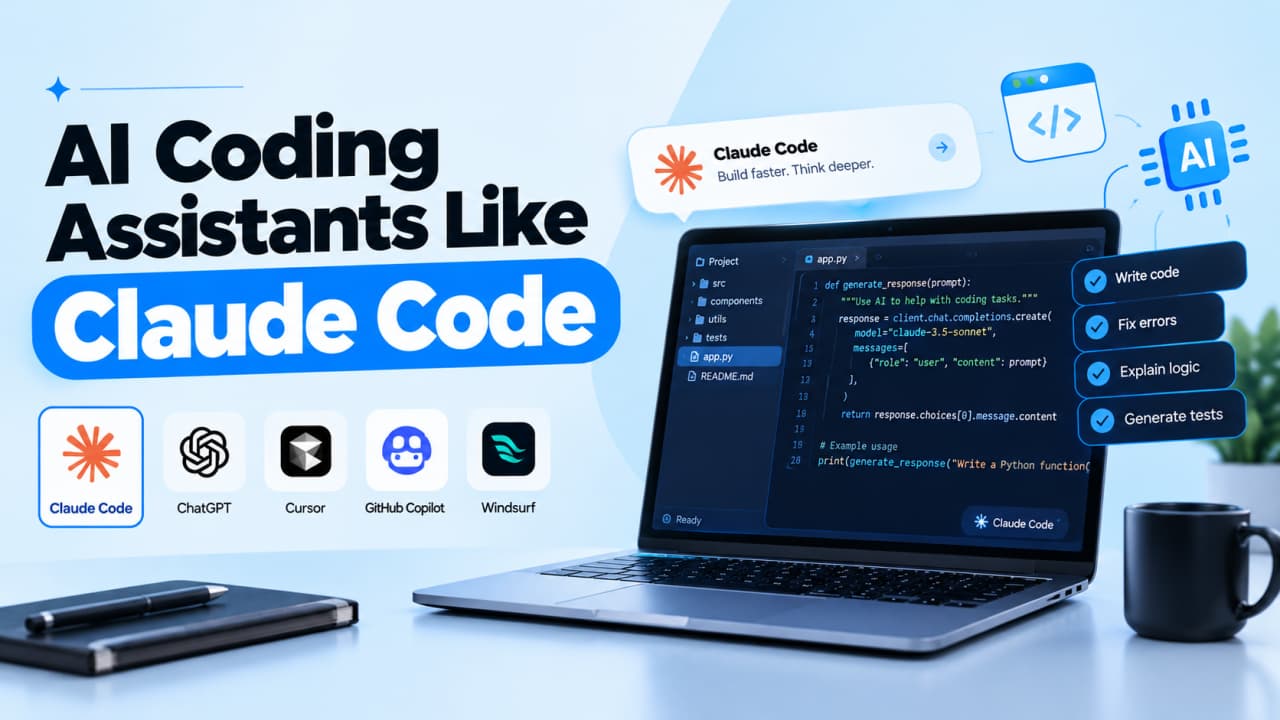
Compare 8 AI coding assistants by job, not hype: current 2026 pricing, agent features, privacy options and the limits vendors leave out of their pages.


 Archie